LIVE DCC SYNC FOR UNITY
Skip the export.
It's already in Unity.
Meshes, rigs, materials and hierarchy stream from Blender and 3ds Max into a running Unity scene — while you edit. No FBX round-trip, no re-import, no waiting.
The round-trip is the bottleneck
/PROBLEMThe traditional DCC-to-engine loop is slow by design. StreamBridge replaces it with a persistent TCP link: the Unity Editor runs a native server, and your DCC pushes deltas as you work.
× 20–40 TIMES A DAY
DELTAS STREAM AS YOU EDIT
Sixty seconds, no cuts
/DEMO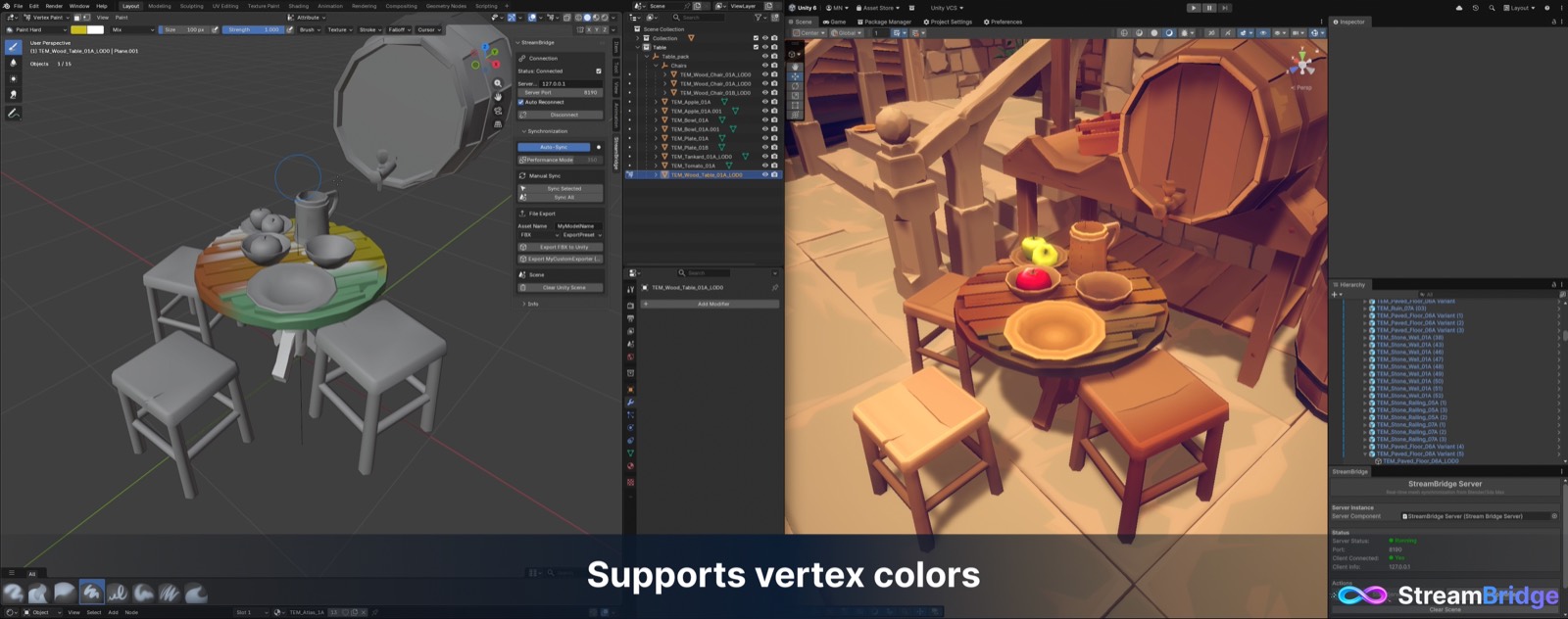
Everything you'd put in the FBX
/1M+ VERTICES TESTEDLive mesh sync
Vertices, normals, UVs and colors stream as you edit. Submesh layouts and shading preserved.
Skinned meshes
Weights, skeletons and per-frame bone transforms. Scrub in your DCC, watch it deform in Unity.
Vertex colors
RGBA updates on every stroke, on your actual Unity shader. No baking.
Hierarchy & transforms
Parenting, transforms and visibility mirror automatically. No manual fixup.
Slot routing
Submesh material names match your Unity materials by name. URP, HDRP, Built-in.
Add, delete, rename
The GameObject follows. The scene stays honest on both ends.
Connect once. Forget it's there.
/WORKFLOWSTEP 01 /04
Start the server in Unity
Window → StreamBridge → Start Server. Port 8190, localhost-only by default.
STEP 02 /04
Connect from your DCC
Hit Connect in the Blender or Max panel. Same machine, LAN or VPN over plain TCP.
STEP 03 /04
Pick a sync mode
Responsive pushes deltas as you edit. Performance batches on an interval for heavy scenes.
STEP 04 /04
Export when it's final
Synced objects are live previews. Ship the final mesh with a normal export.
Own it, don't rent it
/PRICINGNo subscription, no cloud dependency. Buy it, own it, get every future update.
MANAGED VIA YOUR UNITY ACCOUNT · UNITY REFUND POLICY APPLIES
Questions first? Ask on Discord — usually same-day answers. Or report a bug · read the docs.